
In case you do not have an Azure Subscription follow the guidance below to redeem a subscription.
Step 1 - Request subscription
- Navigate to: https://aka.ms/JoinEduLab
- Sign in with a Microsoft or GitHub account
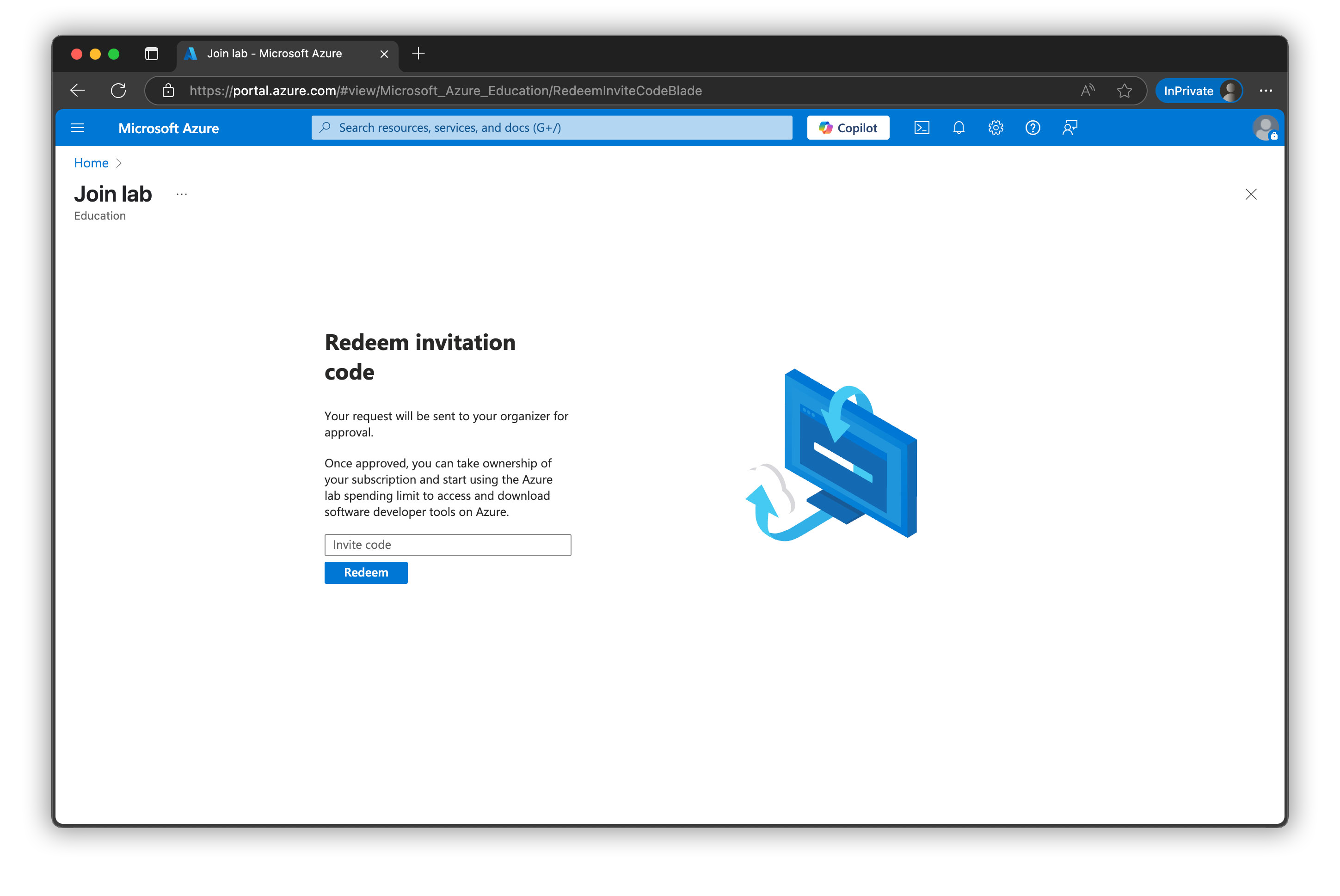
- Ask your event organizer for the
invite code - Enter the
invite codeandclick redeem - Wait for the email below to arrive
Step 2 - Activate subscription
- Look out for the email below arriving in your mailbox.
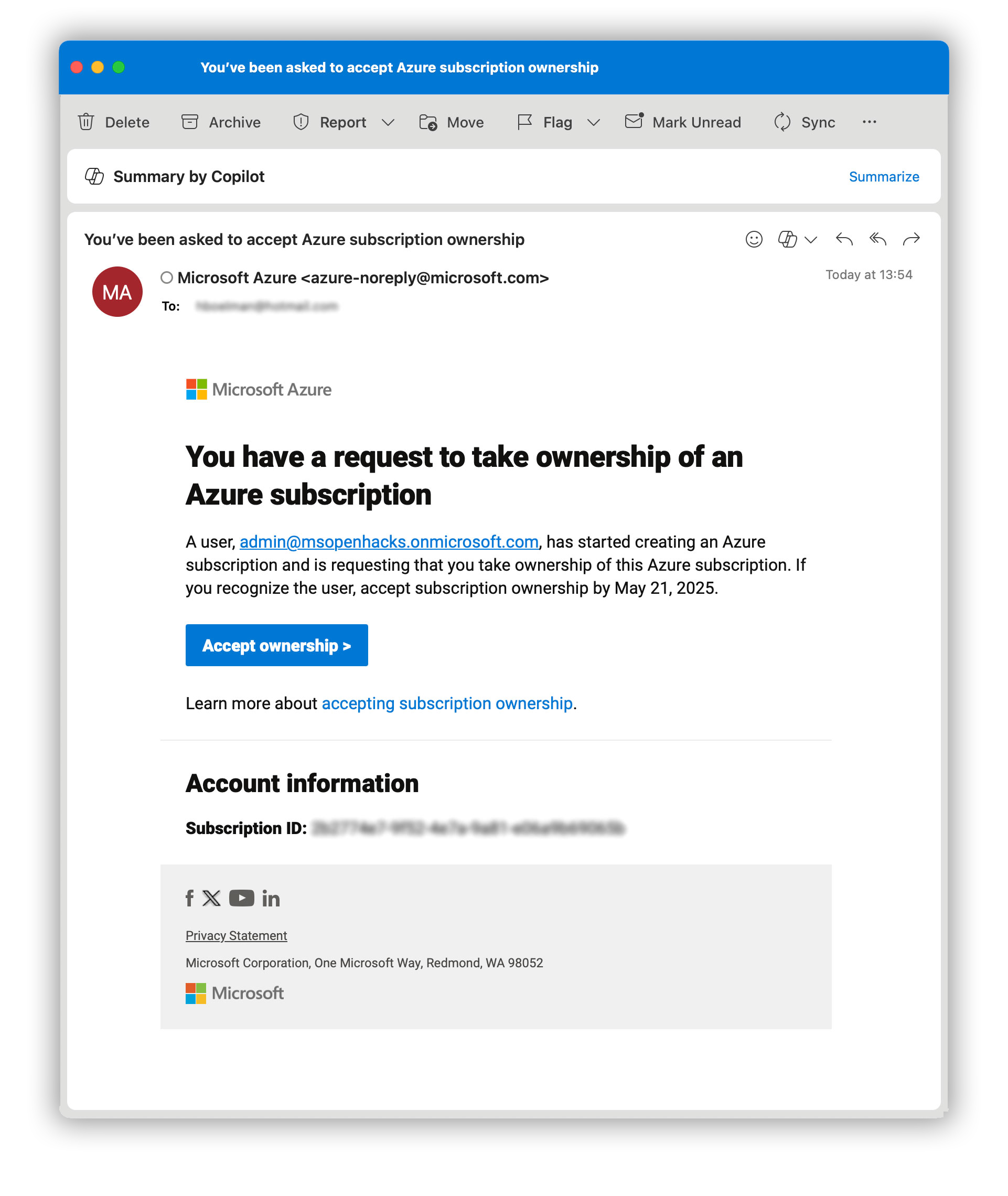
- Click on the button
Accept Ownership - Login with the same account as in step 1
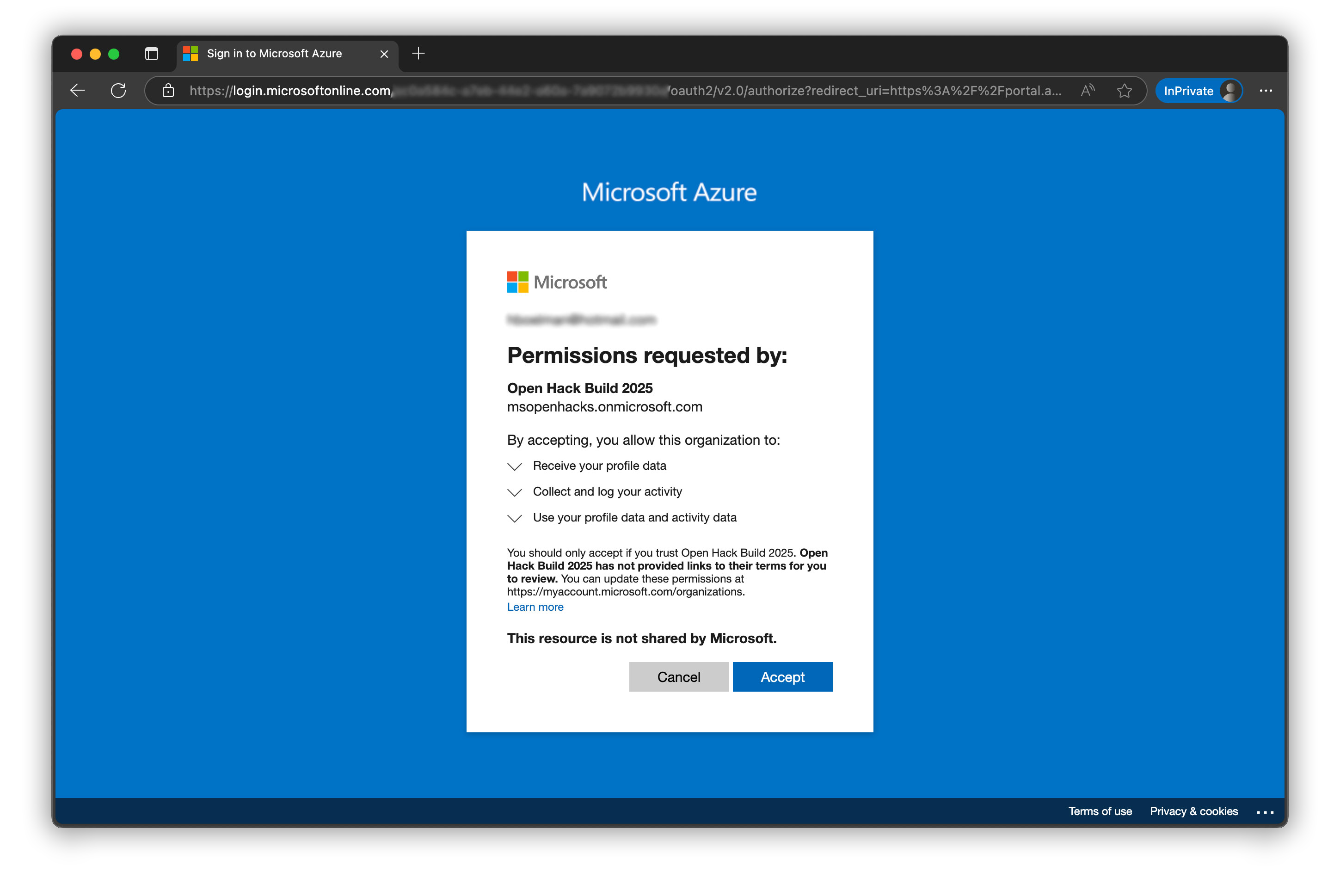
- After login, click
Acceptto login to the Open Hack tenant.
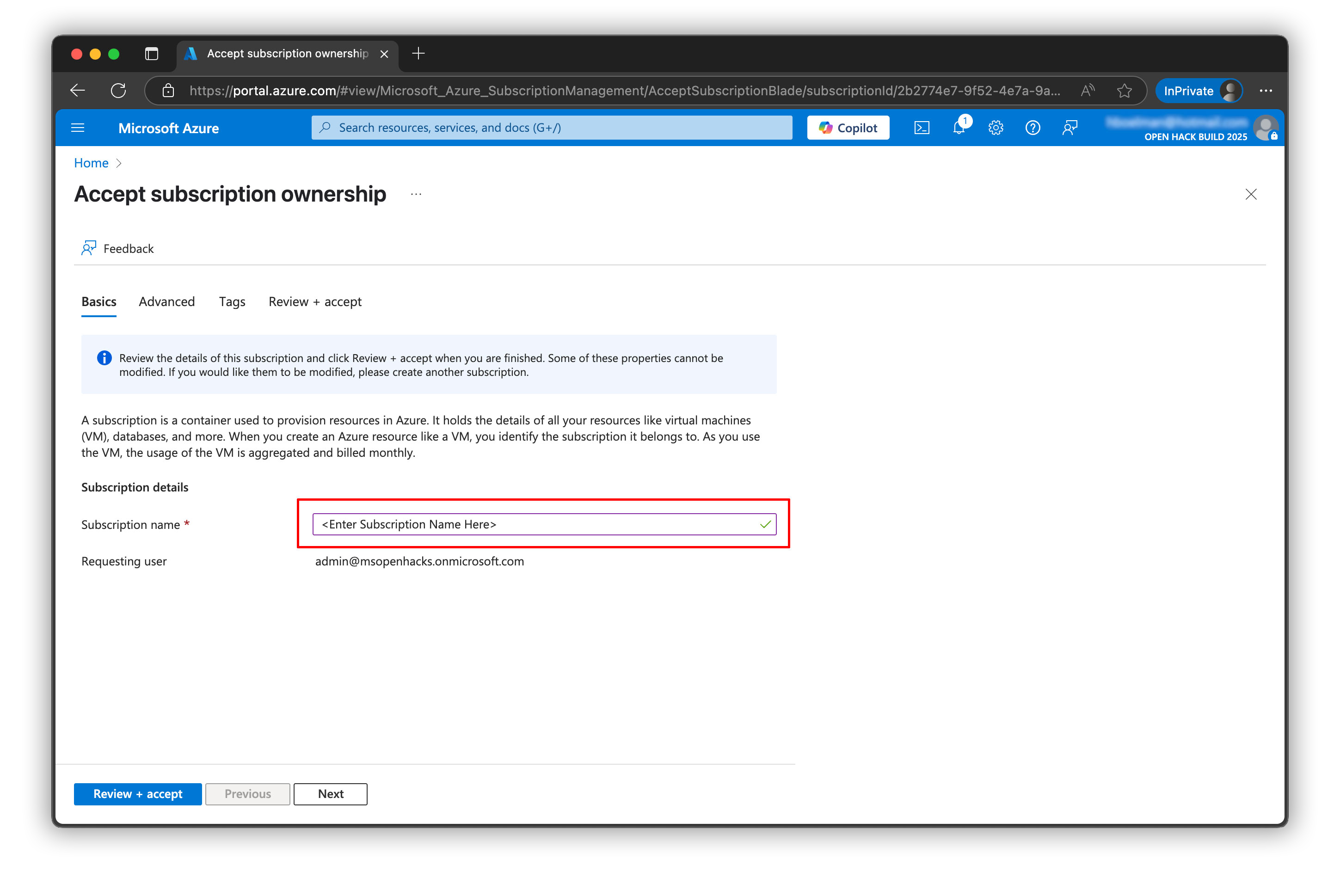
- You can use the suggested subscription name or create your own.
- Click
Review + Accept
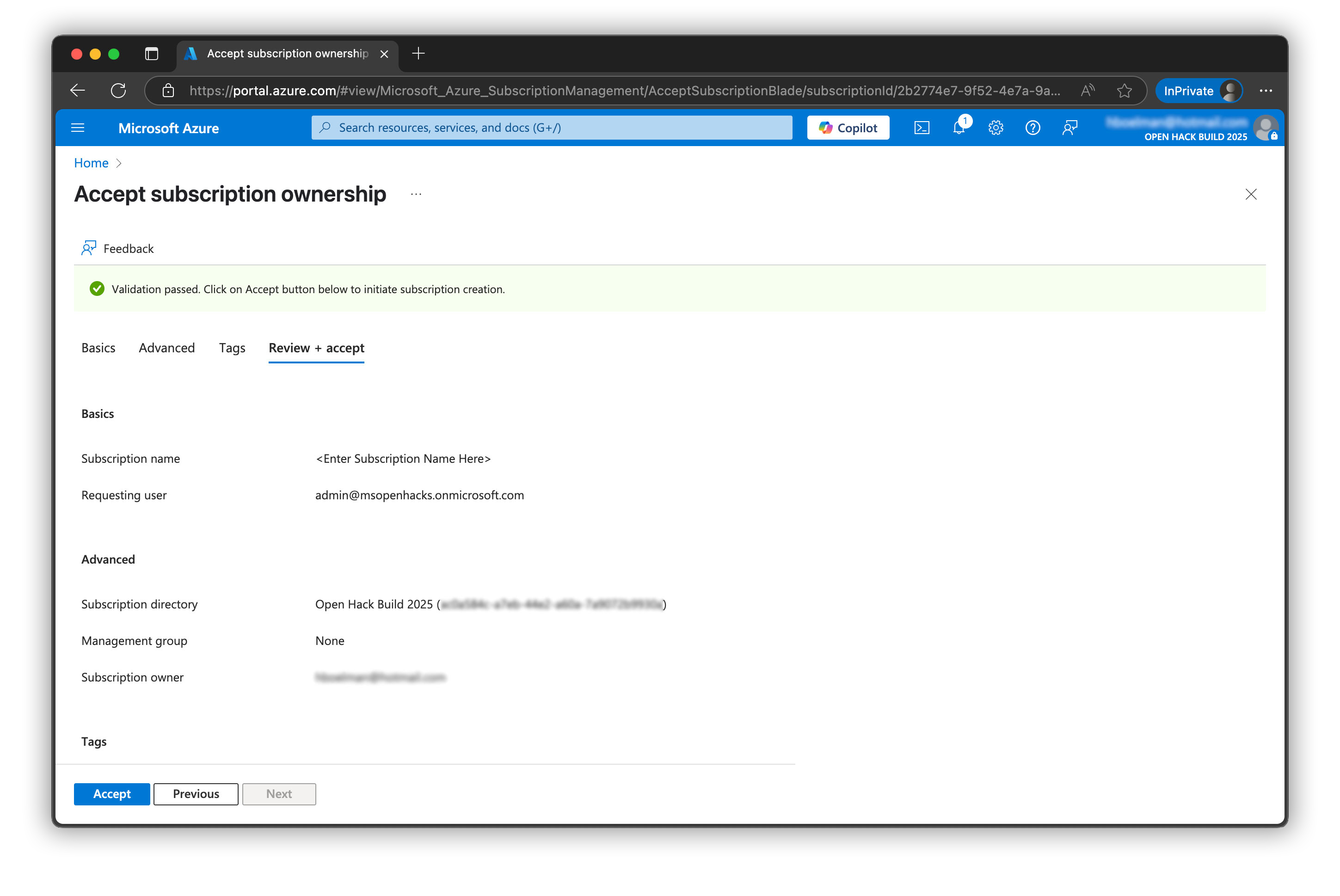
- Click
Accept - Your subscription is being created
Step 3 - Happy hacking
-
It can take a few minutes to create your subscription.
-
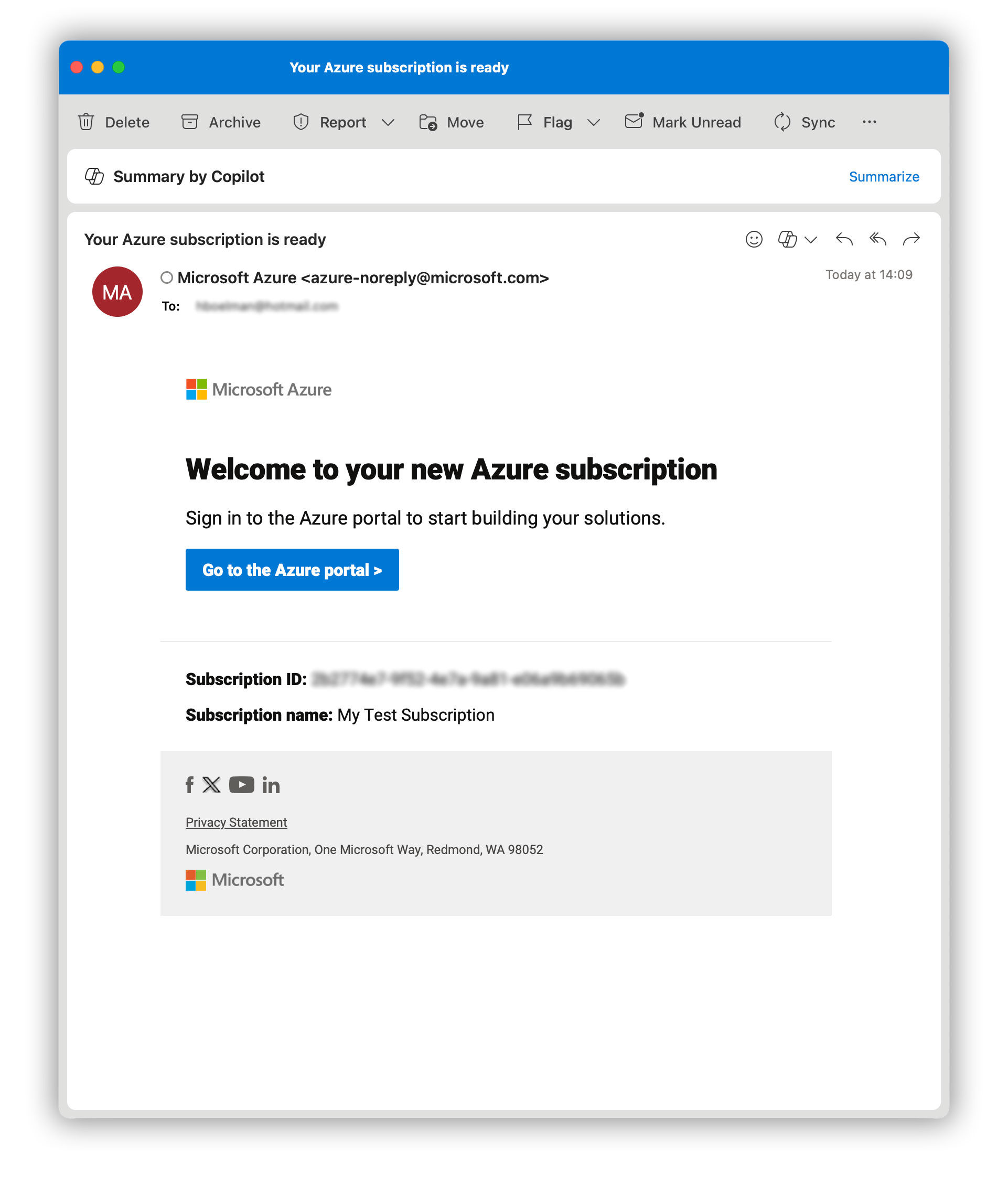
When your subscription is ready you will get an email with subject: Your Azure subscription is ready
-
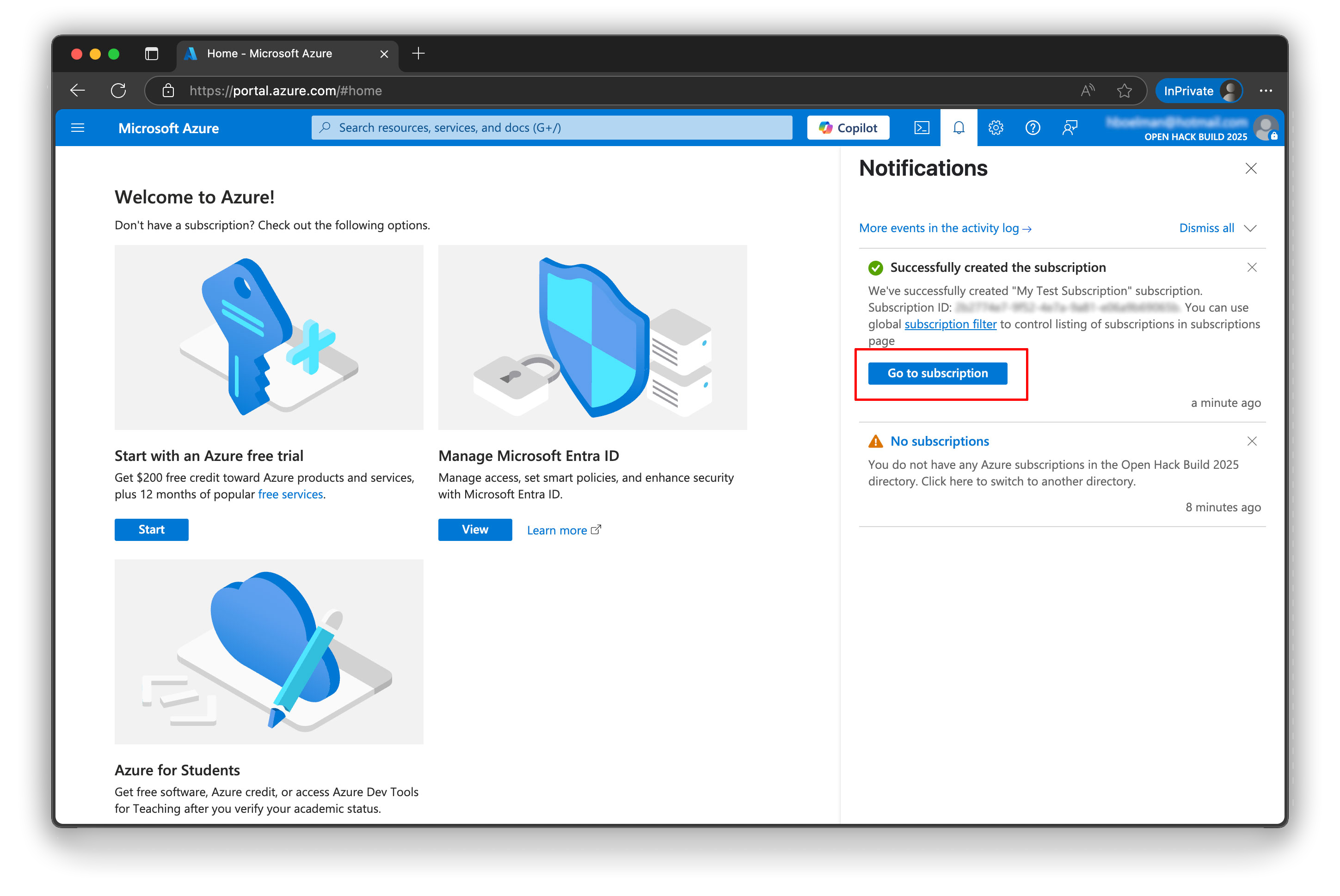
You can also find the status of the subscription creation process under notifications.
-
Click on "Go to subscription" in the notification or
Go to the Azure portalin the email
Happy workshopping!
Tips & Tricks
Unable to find your subscription?
- Your subscription is created in the Tenant/Directory: "Global AI Community (gaicevents.onmicrosoft.com)"
- Sometimes you need to switch tenants, before you see the subscription. Click here to switch Directory.
- Sometimes you need to adjust your Subscription filter for the subscription to show up.
Video Walkthrough
You may also watch this video that walks you through the process.