
Introduction
Make it recognizable. Keep it useful. Our visual identity uses warm cream headers, white content, ink text, a restrained orange accent, and generous rounded cards.
This page follows the Global AI Community design system, version 2.0. Use it for current community materials. Archived event editions retain their original branding; do not recolor an old event kit or modify an official logo.
Logo
Our community logo serves as our most recognizable symbol and should be used consistently across all applications. The logo has been carefully designed to reflect our mission and values while maintaining versatility across various media.
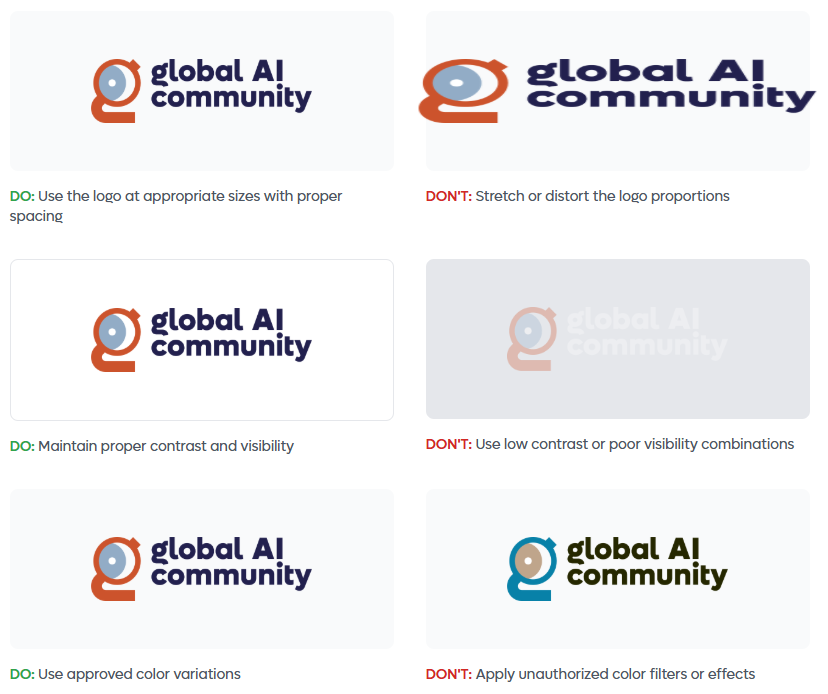
When using the logo, ensure it is clearly visible, uncluttered, and has adequate surrounding space. The logo should always be displayed in its original proportions—never stretch, compress, or alter the design in any way. For optimal legibility, maintain a minimum size as specified in these guidelines.
The logo is available in several formats for different applications. Use the full-color version on light backgrounds and the monochrome version when color reproduction is limited or for special applications.
Logo Variations





Do's and Don'ts: Logo Usage
Mark
The Global AI mark is a standalone symbol that represents our community's identity. This iconic element can be used independently in situations where space is limited or as a brand recognition element across various touchpoints.
The mark embodies the essence of connectivity, global reach, and the transformative nature of artificial intelligence. It features a distinctive circular design that symbolizes inclusivity, continuous learning, and the interconnected global AI community.
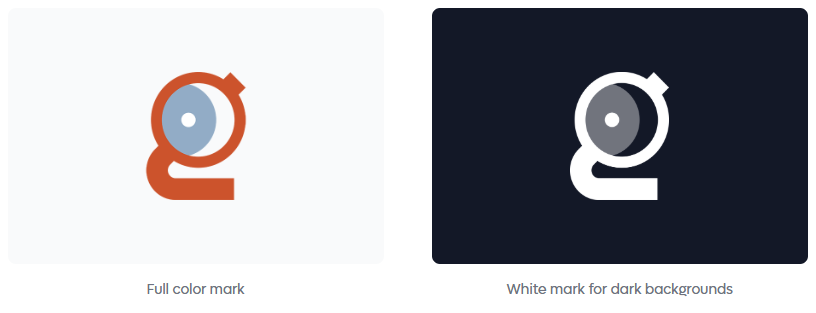
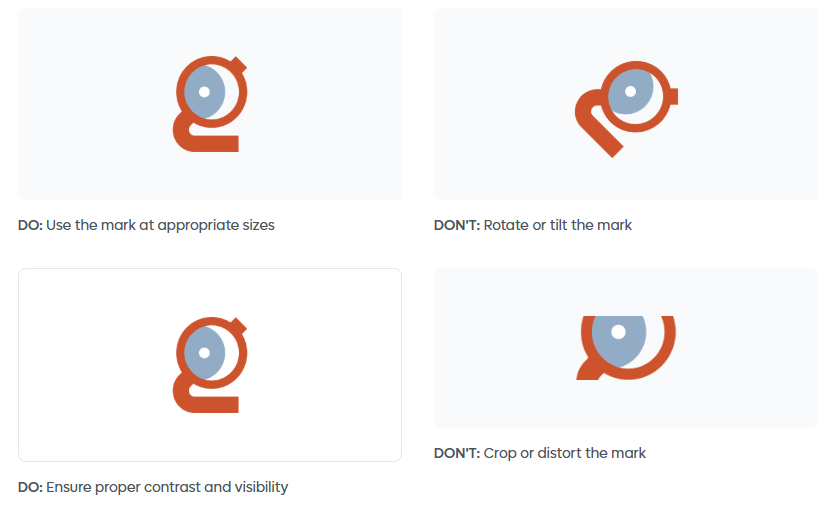
When using the mark, ensure it maintains its visual integrity. The mark is available in full color and monochrome variations. Use the appropriate version based on the application and background to ensure maximum visibility and impact.
Mark Display
| Version | Usage |
|---|---|
| Full color mark | Full color mark |
| White mark | White mark for dark backgrounds |


Do's and Don'ts: Mark
Typography
Use Space Grotesk for headings, eyebrows, statistics, and dates. Use Instrument Sans for body text and interface labels. Both fonts are available under the SIL Open Font License.
| Element | Typeface | Weight | Guidance |
|---|---|---|---|
| Display headline | Space Grotesk | 650 | Large, confident, and short; scale down on small screens |
| Section heading | Space Grotesk | 600 | Clear hierarchy without heavy decoration |
| Eyebrow | Space Grotesk | 500 | Small uppercase label with letter spacing |
| Statistics and dates | Space Grotesk | 600 | Use tabular figures when numbers align |
| Body text | Instrument Sans | 400 | Comfortable reading size and generous line spacing |
| UI labels | Instrument Sans | 500–600 | Short, direct, and readable |
The handbook self-hosts these fonts so reading does not depend on an external font service.
Colors
| Color | Hex | Use |
|---|---|---|
| Header cream | #f5f4ec |
Navigation, hero bands, and inset content bands |
| Warm cream | #fdf0e3 |
Notices and warm callouts |
| Content white | #ffffff |
Main reading and content areas |
| Ink | #16130e |
Headlines, body text, and the dark footer |
| Orange | #d5522b |
A restrained brand accent, not a background for everything |
| Deep orange | #b8431f |
Hover states and text or controls needing stronger contrast |
| Logo blue | #8cadc6 |
Supporting brand detail; the logo remains unchanged |
| Live green | #178f57 |
Live status, not a general decorative accent |
| Muted text | #6e6759 |
Secondary copy on light backgrounds |
Deep blue #1e224e belongs inside the logo, not as the general page background.
Layout and components
- Keep navigation and hero bands on cream; let main content live on white.
- Use rounded cards, generous spacing, and clear headings rather than excessive borders and decoration.
- Buttons are pill-shaped. Use one primary action per viewport and no more than two adjacent buttons.
- Use warm notices for date changes and important guidance. Explain what the reader should do.
- Finish pages with an ink footer and a useful next step.
- Use real community photography, not stock or AI-generated event photos.
- Keep motion restrained. Respect reduced-motion preferences and let moving strips pause on hover.
Accessibility
Maintain at least 4.5:1 contrast for normal text and 3:1 for large text. Use deep orange rather than assuming the brighter brand orange works for small text on every background. Give keyboard focus a visible outline, label controls, and never communicate status through color alone.
Voice
Write developer-to-developer: direct, friendly, and specific. Say what happens next.
| Instead of | Write |
|---|---|
| View our upcoming events | Find your next event |
| Access our comprehensive resources | Find a workshop |
| Contact us for further assistance | Email support |
Use real, verified numbers with a date when the context requires one. Do not copy sample community statistics from a design mockup into current partner materials.
Questions & Support
For questions about these guidelines or to request additional brand assets, contact support@globalai.community.